How to Access Your Google Maps & Travel Portal on the Go
In your accompanying Word document, you’ll find your daily Google Maps links.
You’ll need Google Maps on your phone or device to use these - it's worth ensuring the app is up to date before you set off.
Each map shows your overall driving route, while this portal includes additional stops, viewpoints, and activities. You can add or remove stops as you go, giving you the flexibility to adjust each day based on timing, weather, and energy levels.
Tip: Once a map is opened on your phone, you can edit it freely; add new places as you discover them or remove stops as plans evolve.
Before you set off each day, we recommend:
Checking that day’s suggestions in your travel portal
Open the relevant Google Map
Add or remove stops based on your plans
Make sure you have a way to charge your phone, as navigation can drain battery (for example, a USB-C cable and in-car charging port; worth checking your rental includes this, or bringing your own)
Accessing Your Maps While Travelling
You’ll be able to access your portal and maps using:
Hotel Wi-Fi
Your mobile data (if available in the UK)
If you’re not familiar with Google Maps, try creating and following a short route near home first - it’ll feel much more intuitive once you’re on the road in Scotland. Alternatively, you can use the alternative navigation option below.
Download Google Maps for Offline Use
However, as you’ll be travelling through more rural parts of Scotland, the signal can occasionally be limited.
Therefore, to ensure a seamless experience on the road, we strongly recommend downloading your maps in advance. This will save mobile data and allow you to navigate even when the signal drops. You can download most of Scotland in one go, but depending on your phone storage, it may be easier to download a few smaller areas.
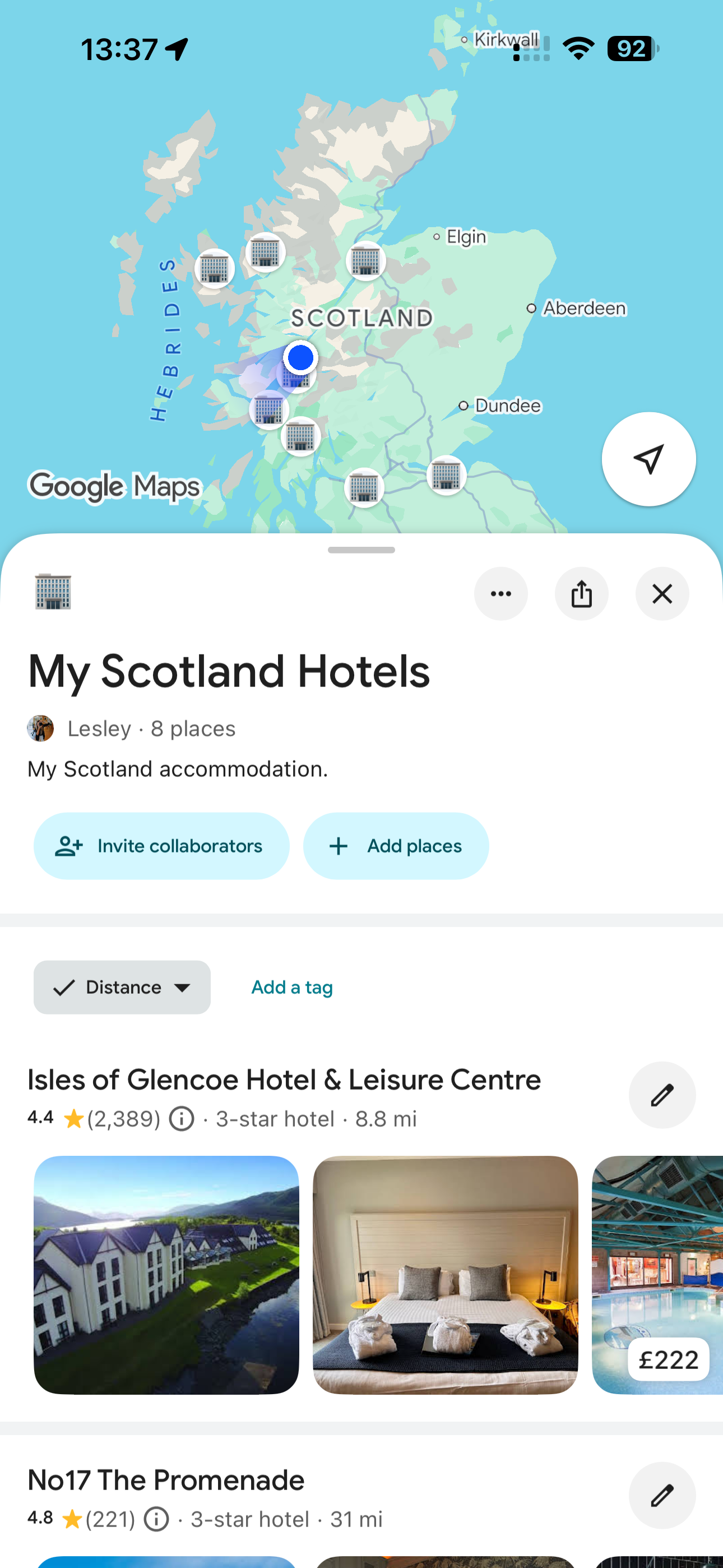
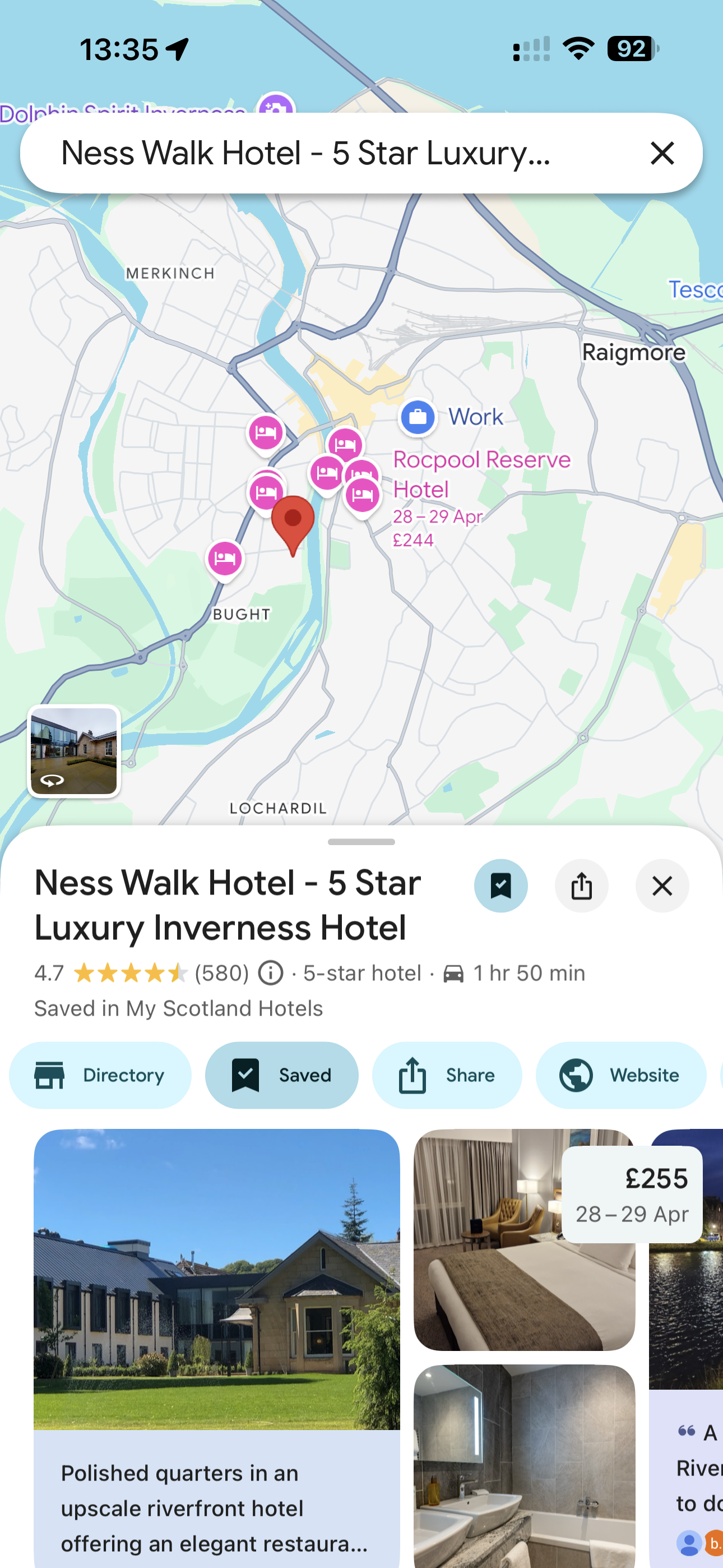
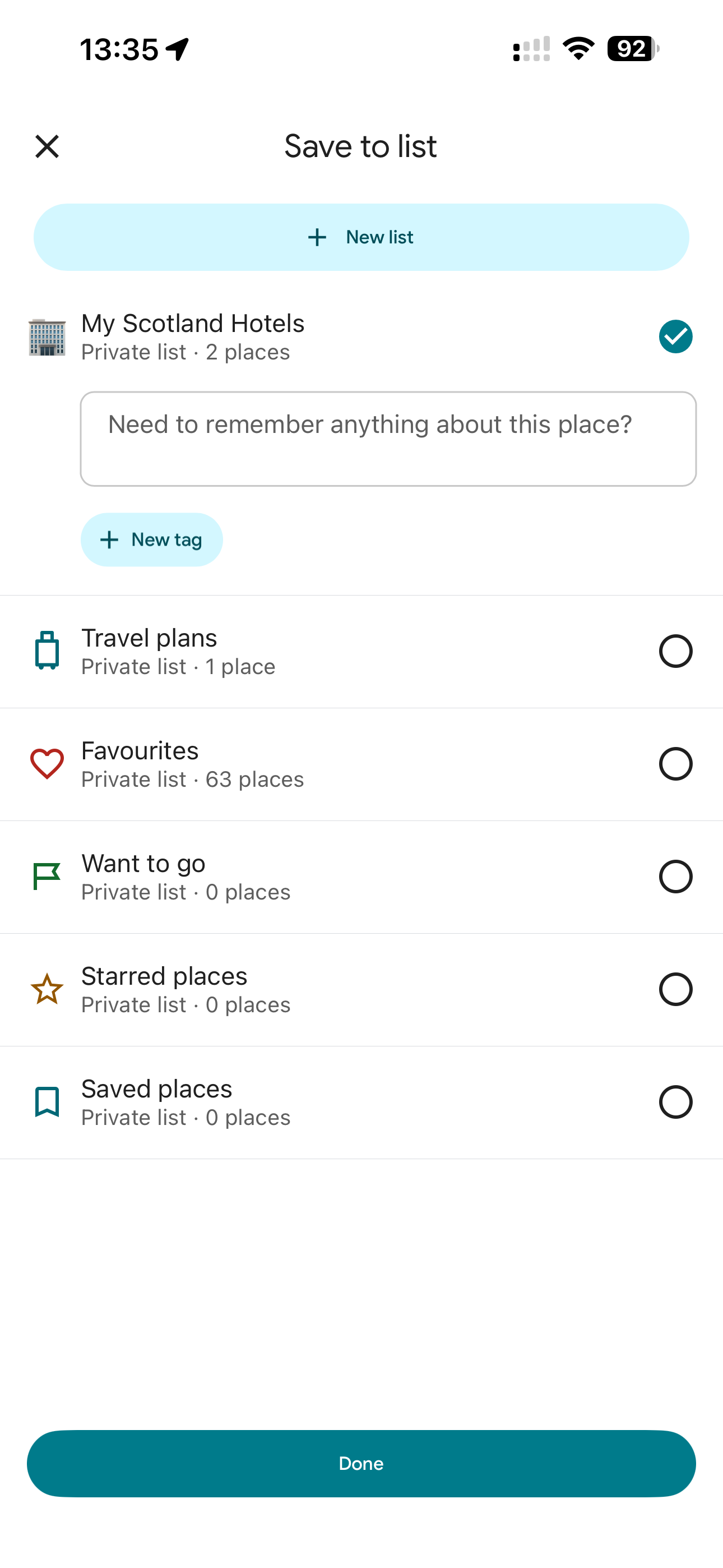
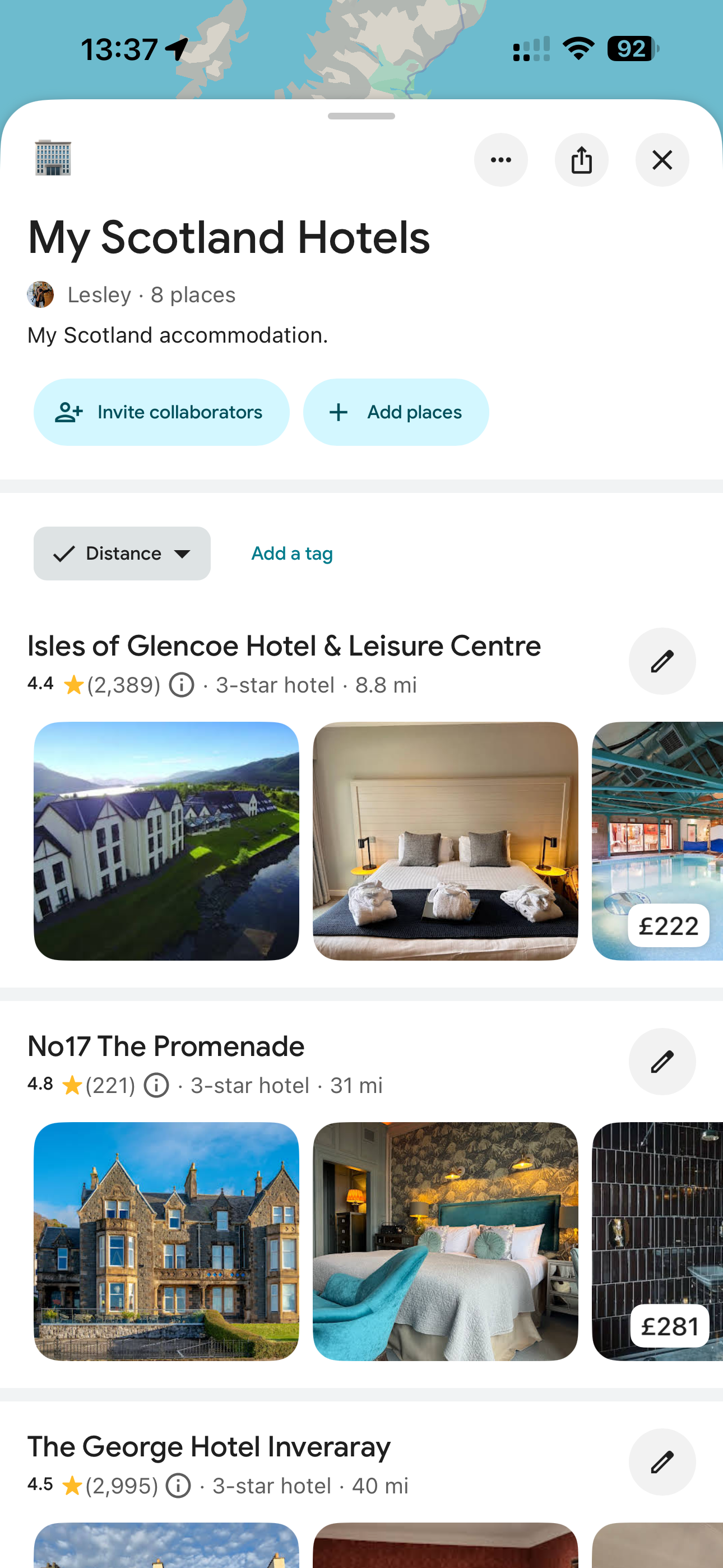
Saving your hotels to a Google Maps travel list is also a great way to make navigation easier.
How to download offline maps:
We recommend you do this at home to save any worries or issues during travel. Follow the official guide from Google here.
Once downloaded, your maps will automatically switch to offline mode when you lose signal - no extra steps needed.
Visual Guide
You’ll find a few screenshots below to walk you through the process step by step.
Offline maps:
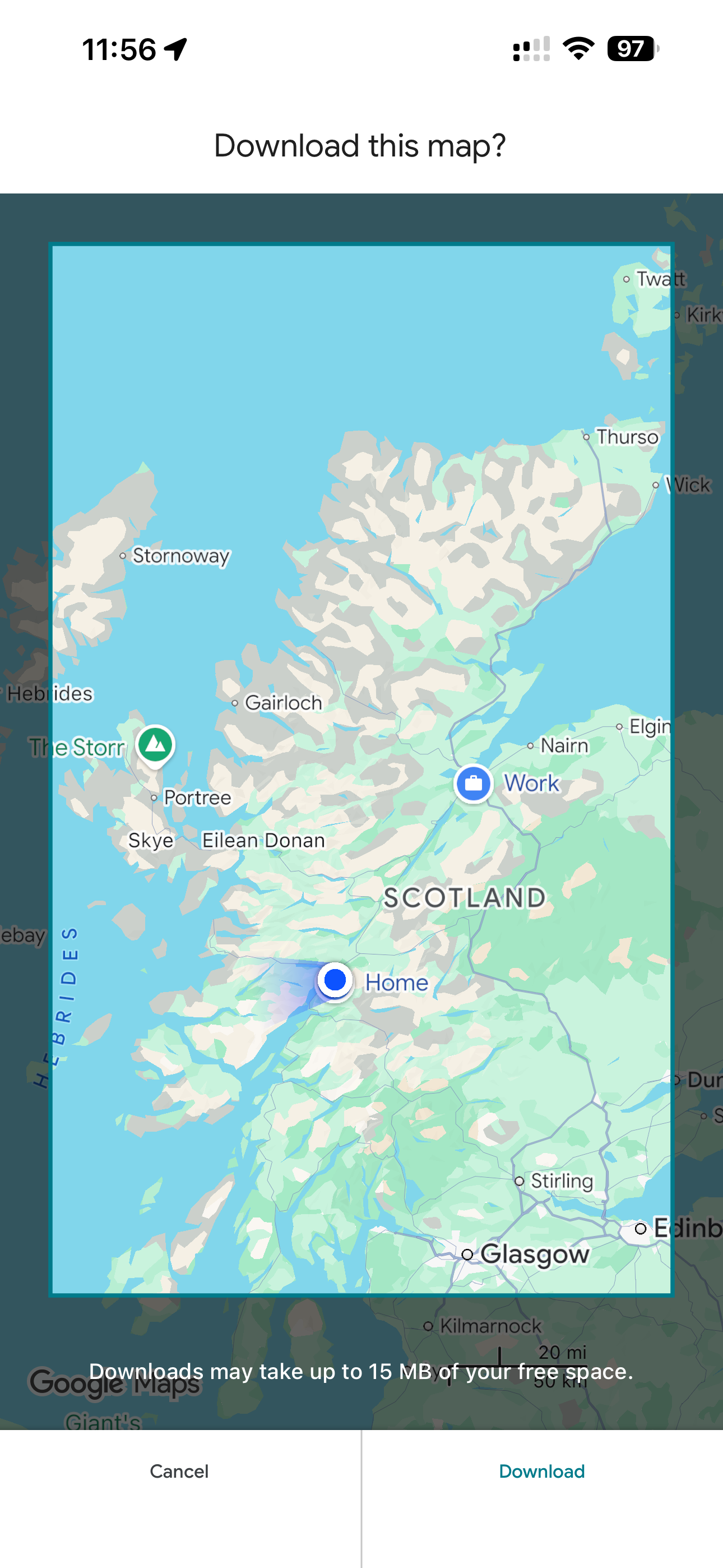
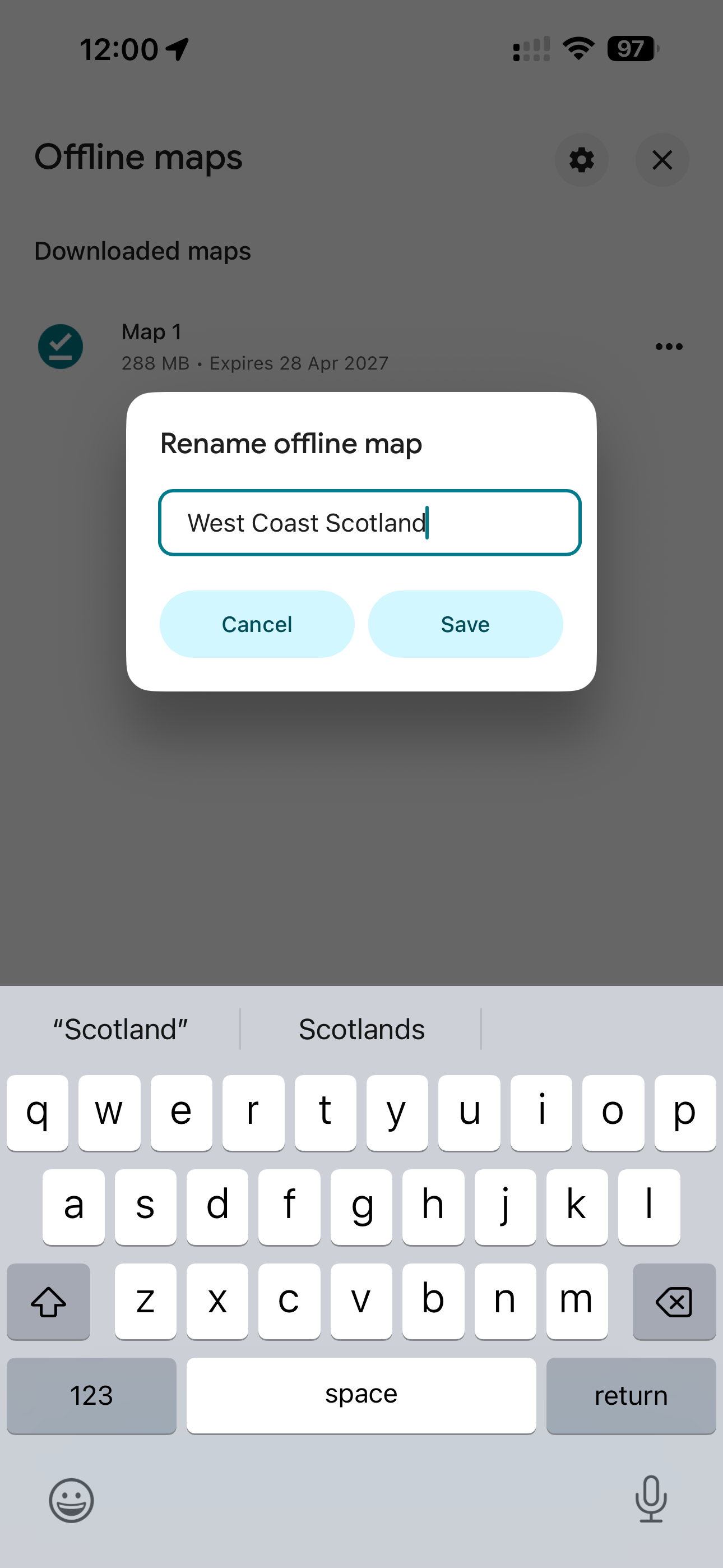
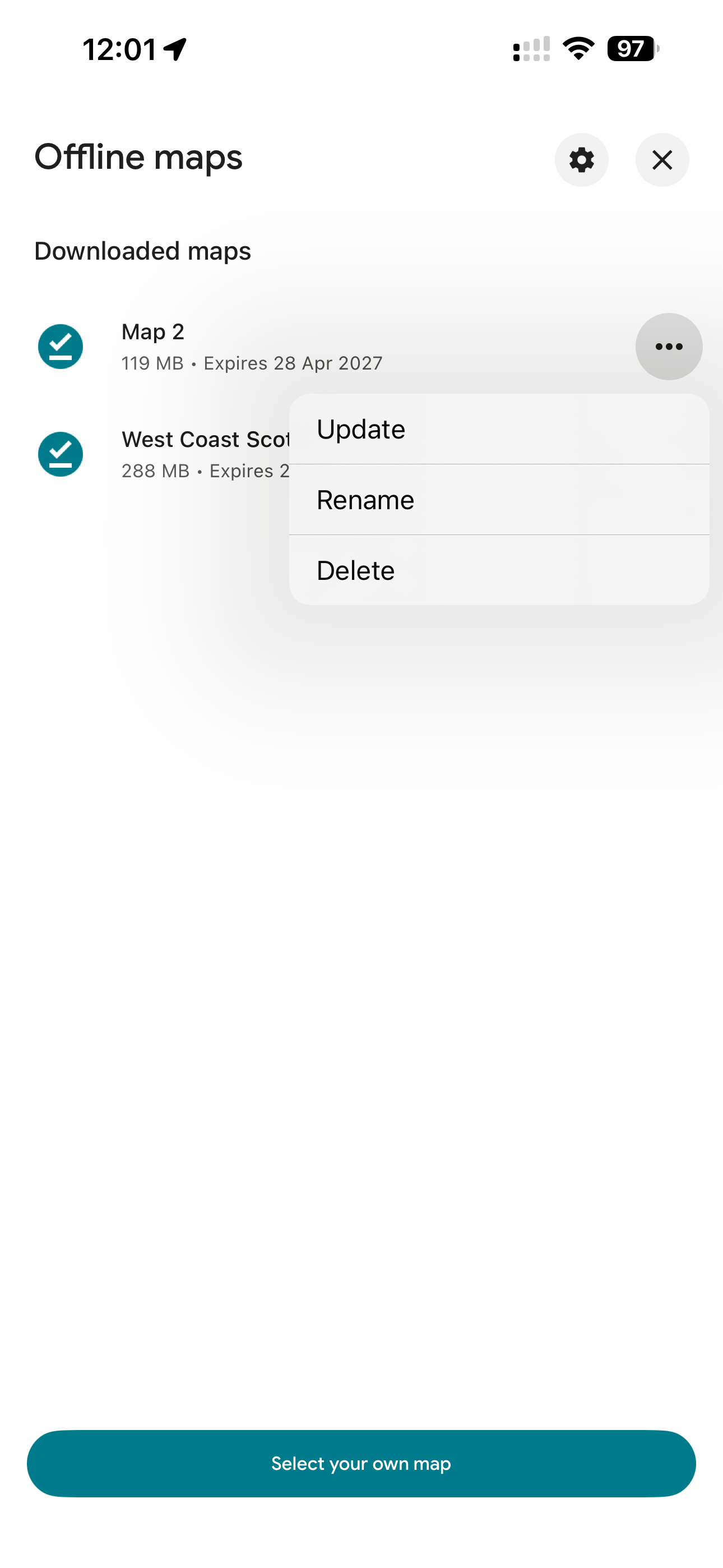
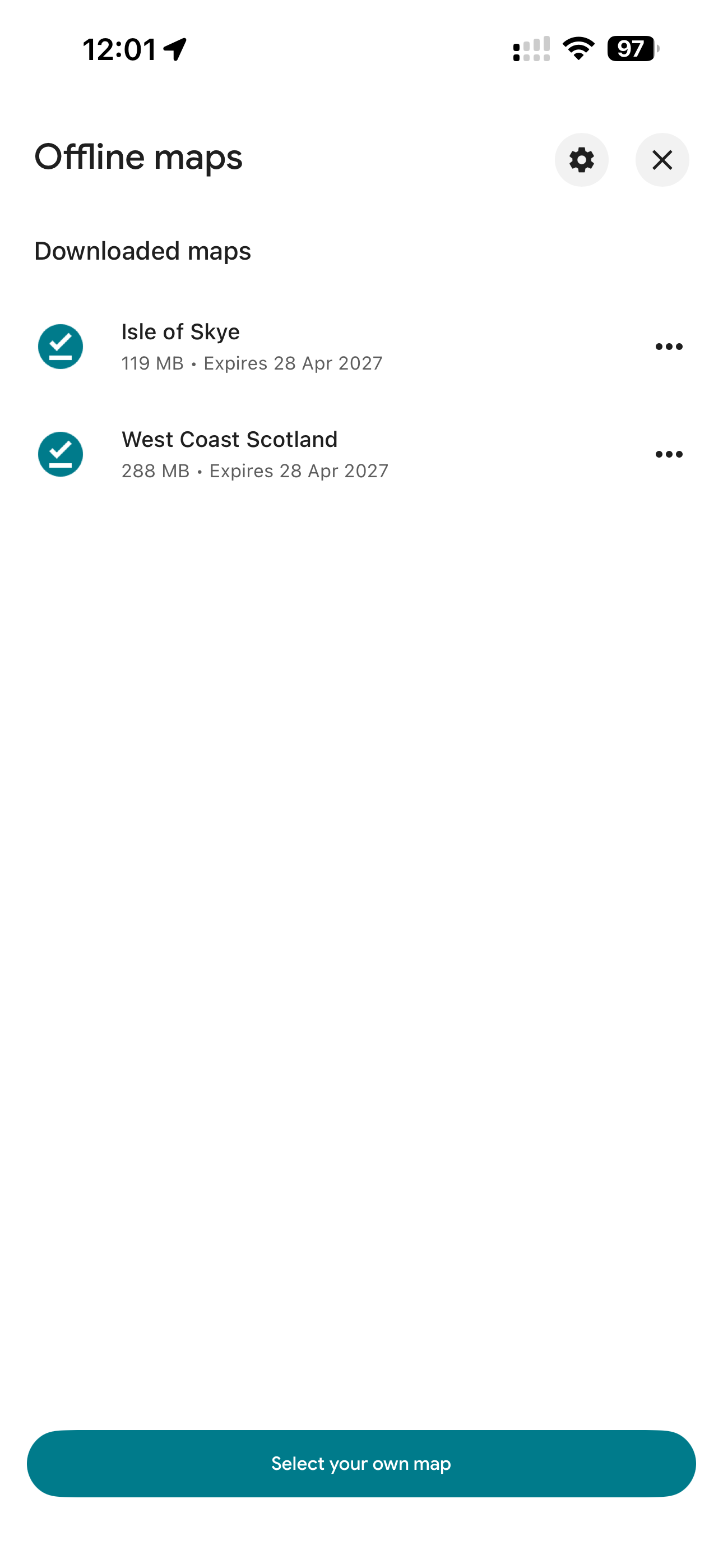
Saved hotel list:
Alternative Navigation
Many rental cars come with a built-in Sat Nav, or you may choose to hire one, or bring your own - often a convenient way to save phone battery.
If you’d prefer to use this, just let us know. We can provide simple daily PDFs that mirror your travel portal, allowing you to easily search and enter each stop into your Sat Nav as you go.